while True: learn()
- 4.8
- Rating
- 10.00K
- Installs
- $4.99
- Price

 Analysis by App-foxy
I went into while True: learn() expecting a light puzzle game with a programming theme, but I found something more useful than a simple set of brainteasers. It turns the basic idea of building a solution into the center of play, then wraps that process in a friendly world of cats and small technical problems. The result is an educational game that asks you to think like a programmer without requiring you to begin by writing conventional code.
That distinction matters. This is not the best choice if you want a traditional coding course, a fast arcade game, or a completely relaxed cat-themed experience. It is much more appealing if you enjoy logic puzzles and want to understand how programmers break a messy problem into smaller steps. I would describe it as a bridge between playful problem solving and programming concepts, with enough structure to make the ideas approachable.
What to consider before choosing it
The first decision is whether you want to learn through experimentation rather than lessons that explain everything before you try it. The game puts you in situations where you need to arrange, connect, or reason through solutions. I found that the learning happens while I am trying to make a system work, not while I am passively reading definitions. That can make the ideas stick, but it also means patience is important.
You May Also Like

 AccuWeather: Weather Radar
AccuWeather Review: A Quick, Clear Forecast for Everyday Decisions
For everyday plans, the best forecast is the one you can understand quickly. AccuWeather makes rain timing, radar, and local conditions easy to act on, with a few trade-offs.

 Hill Climb Racing
Why Hill Climb Racing Still Turns Crashes Into One More Run
A tiny car, a bumpy hill and one more upgrade: Hill Climb Racing keeps resurfacing because its simple chaos makes every near-miss feel personal.

 AliExpress - Shopping App
AliExpress Makes Global Shopping Feel Personal, but Shoppers Bear the Risk
AliExpress turns a global marketplace into a pocket-sized discovery engine. Its reach is useful, its shopping loop compelling, and its trade-offs easy to miss.

 Lords Mobile: Kingdom Wars
Lords Mobile Is a Kingdom-Building Routine, Not a Quick Match
A case-by-case verdict on the building, battles, device demands, and social commitments that make Lords Mobile rewarding for some players and exhausting for others.

 PDF Scanner app - TapScanner
TapScanner Makes Paperwork Easier to Capture, Check, and Share
TapScanner makes scanning with a phone feel less like a rescue operation and more like a dependable step in getting work done. Its capture tools are useful, though not flawless.

 Block Blast!
 Shows How Much a Puzzle Game Can Leave Out
A quiet grid game shows why puzzle players increasingly value instant clarity, repeatable skill and low-pressure play—and where the genre still needs to catch up.
More From Our News Desk
View All News


The second decision is how much uncertainty you enjoy. A puzzle may look simple at first and then reveal that the order of operations, the flow of information, or the way separate parts interact is the real challenge. I often understood the goal before I understood the cleanest route to it. That small gap is where the game teaches its most valuable lesson: knowing what you want a program to do is different from designing a process that reliably does it.
The third decision is your preferred learning style. People who like visual systems, trial and error, and gradually improving a solution are likely to get more from this game than people who want a textbook-style explanation of syntax. It is also worth remembering that puzzle logic can support programming knowledge without replacing practice in an actual programming language. I see it as preparation and reinforcement, not a complete substitute for a coding course.
Its store summary, “Puzzles, Cats and Programming,” is brief but accurate about the combination. The short description, “while True: learn(),” also captures the general mood: keep trying, observe what happens, and learn from the result. The game comes from Luden.io, a developer known here for presenting learning through interactive activities rather than treating education as a separate mode.
How the learning feels during play
What I liked most is that the game gives abstract ideas a practical shape. Instead of only telling me that a process can be divided into stages, it gives me a problem where separating those stages is useful. Instead of treating mistakes as proof that I failed, it makes them clues. I can inspect what happened, change one part of my approach, and see whether the outcome improves.
That workflow is especially helpful for beginners who are intimidated by programming terminology. A person may understand the general idea of inputs, decisions, and outputs long before feeling comfortable with code on a blank screen. Here, the visual puzzle format provides something concrete to manipulate. I can focus on the relationship between actions without first worrying about punctuation or memorizing a language’s rules.
There is also a useful difference between finding any solution and finding a sensible one. Early attempts may work but feel clumsy, inefficient, or difficult to understand. That encourages a habit that carries over into real programming: after making something function, look again and ask whether the structure can be clearer. I would not expect every player to become interested in software development, but the game can make this way of thinking feel less mysterious.
One practical tip is to resist changing several parts of a solution at once. When I adjust one connection or step, the result tells me more about the cause of a problem. If I rebuild everything after every mistake, I lose the information the puzzle is giving me. Treating each attempt as a small experiment makes the harder challenges less frustrating and turns failure into a method rather than a dead end.
Why the cat theme works better than decoration
The cats are not just a visual joke placed around a technical subject. They soften the first impression of a game about systems and logic. That matters for younger players, casual players, or anyone who normally avoids educational software because it feels too serious. The friendly presentation makes it easier to start experimenting before deciding whether programming is “for” you.
At the same time, the playful setting does not remove the need to think. When a puzzle becomes complicated, the cats cannot solve it for me. The contrast is useful: the presentation stays inviting while the underlying task asks for concentration. I could play for a short session when I had only a little time, but I also found myself staying longer when I wanted to refine an approach.
This balance makes the game suitable for a family setting, although I would still expect younger children to need occasional help with reading, planning, or understanding why a solution behaves differently from what they intended. The content rating is Everyone, which fits the approachable tone. Adults can enjoy it as a logic game, while children and teenagers may treat it as an introduction to computational thinking.
Where this game wins over familiar alternatives
Compared with a conventional programming tutorial, this game has a lower barrier to entry. I do not need to begin by setting up a development environment or wondering which language to learn first. The immediate feedback keeps the focus on reasoning. For someone who has tried a coding lesson and stopped at the first confusing error message, that can be a meaningful advantage.
Compared with ordinary puzzle games, it offers a stronger sense of transferable purpose. A standard logic puzzle may improve concentration, but this game repeatedly encourages me to think in terms of processes and systems. The difference is not that one is “better” in every situation. It is that this title gives my puzzle solving a programming-flavored direction, which makes it more valuable if I am curious about technology.
It also sits in a useful middle ground between entertainment and instruction. Many educational games either simplify their subject until it loses depth or present lessons so directly that they feel like homework. This one is more convincing when it lets me discover the principle by trying to solve a problem. The learning is not always obvious in the moment, but I notice it when I start planning before acting instead of immediately making random changes.
The strongest reason to choose it is the feedback loop between an idea, a test, and a visible result. That loop teaches a working habit rather than only a definition. When I later face a technical task outside the game, the useful memory is not a particular puzzle answer. It is the habit of isolating a problem, testing a small change, and checking the outcome.
Three ways I would use it beyond casual play
First, I would use it as a warm-up before beginning a beginner programming course. A short session can put me in the right mindset for breaking tasks into steps. It does not teach every practical detail I would need afterward, but it can make the first lessons feel less alien because I have already practiced thinking about structured solutions.
Second, I would use it with a child or teenager who says programming looks boring. Rather than presenting a lecture, I would let the player explain what they think should happen, watch the result, and then ask which part behaved differently. That conversation turns the game into a shared reasoning exercise. The important point is not to take over and solve the puzzle; the player learns more by describing the process and correcting it.
Third, I would use it as a compact break for someone who works with technology but wants a less demanding way to exercise problem solving. It is not a professional simulator, and I would not use it to rehearse a specific work task. Its value is in stepping away from real deadlines while still practicing decomposition, sequencing, and debugging-like thinking.
A less obvious strength is that it can reveal whether you enjoy the mindset behind programming before you invest heavily in learning a language. If you dislike tracing a process, testing alternatives, or improving a working solution, a full coding course may feel like a poor fit. If those activities become satisfying once they are presented visually, the game can point you toward a subject you might otherwise dismiss.
Where another type of app may suit you better
I would choose a dedicated coding app instead if my goal were to write usable programs, learn syntax, or build a portfolio. A game can teach concepts through simplified interaction, but real development also involves reading documentation, managing errors, organizing files, and working with tools. Those needs call for a different category of product.
I would choose a conventional puzzle game instead if I wanted quick, self-contained challenges with no educational intention. The programming angle changes the experience. Some players will enjoy that extra layer; others may find it slows down the immediate satisfaction of solving a puzzle. If you prefer reflexes, competition, or a story that moves forward without much analysis, this probably is not the right purchase.
I would also be cautious about recommending it to someone who expects a complete, linear curriculum. The game encourages discovery, but discovery can leave gaps. A learner who wants every concept introduced in a carefully ordered sequence may progress more comfortably with a structured course and use this as a supplement afterward. The two approaches complement each other, but they do not serve exactly the same purpose.
Another trade-off is replay motivation. I enjoy revisiting a challenge to make my solution cleaner, but not every player cares about refinement once the basic goal has been reached. If your satisfaction comes only from finishing and moving on, some of the deeper value may pass unnoticed. The game rewards curiosity about how a solution works, not just the moment when it finally succeeds.
What the purchase and setup mean in practice
This is a paid game at $4.99, so the decision is straightforward: you are paying to avoid the uncertainty of a free trial model and to get a focused educational puzzle experience. For me, the price makes the most sense when I already know I like logic games or when I specifically want a gentle introduction to programming ideas. Someone looking for a free way to sample the subject may prefer to begin elsewhere.
The game is available for devices running Android 6.0 or newer. That gives it a fairly broad compatibility range, but I would still check the operating system on an older phone or tablet before buying. A compatible device is only the first part of a comfortable experience; puzzle work benefits from a screen where connections and visual elements are easy to inspect.
Its current version is 1.8.107, and the game was released on Aug 27, 2020. I mention that because this is an established title rather than a brand-new experiment. The audience has given it a 4.8 average from around 1.2 thousand ratings, with over 10 thousand installs. Those figures suggest a positive reception and a real player base, but I would still base the purchase on the kind of thinking the game asks for rather than popularity alone.
One everyday scenario shows the best way to approach it. Imagine having twenty minutes during a commute or after dinner. Instead of starting a long lesson that requires taking notes, I could open a puzzle, form a hypothesis, test it, and stop after reaching a useful checkpoint. If I return later, I am not merely consuming information; I am continuing a problem-solving process. That makes short sessions feel worthwhile, provided I am willing to concentrate.
The main switching cost is mental, not technical. If I move from a regular puzzle game to this one, I need to accept that the first obvious answer may not be the most satisfying answer. If I move from this game to a formal programming course, I need to learn that visual reasoning is only one layer of the subject. In both directions, the adjustment is easier when I understand what I am changing: not just the app, but the kind of progress I expect.
Small habits that make difficult puzzles easier
I recommend describing the goal in plain language before touching the available tools. For example, I might write down what should enter the process, what needs to happen next, and what result would count as success. This prevents me from confusing a visually attractive arrangement with a logically correct one. It also gives me something to compare against when the outcome is unexpected.
I also found it useful to keep a “last known good” version of a solution in mind. When an experiment makes things worse, I can return to that point instead of continuing to build on a broken structure. This is a simple habit, but it mirrors a practical debugging principle: preserve a working state before making a risky change.
Finally, I would not rush through the explanation or feedback after a successful attempt. The immediate temptation is to celebrate and move on, but the most educational moment is often understanding why the solution worked. Asking which step controlled the result, and which parts could be rearranged safely, turns completion into actual learning. That is where the game offers more than a disposable puzzle.
My recommendation for different players
I recommend while True: learn() to curious beginners, families looking for a thoughtful shared game, and puzzle fans who want their challenges connected to programming ideas. It is especially suitable for someone who feels interested in technology but does not yet know whether formal coding will be enjoyable. The visual approach lowers the intimidation factor without removing the need to reason carefully.
I would skip it if I wanted a complete programming education, a competitive game, or a purely relaxing experience with minimal concentration. I would also look elsewhere if paying for an educational game feels unnecessary and I only want a quick introduction. A structured course may be better for systematic study, while a conventional puzzle title may be better for instant entertainment.
For my own recommendation, the deciding question is simple: do you enjoy discovering why a system behaves the way it does? If the answer is yes, the combination of puzzles, cats, and programming gives this game a distinctive purpose. If the answer is no, its educational angle may feel like an obstacle rather than a benefit.
Overall, I see it as a friendly first step, not a final destination. It makes programming-flavored thinking approachable, gives mistakes a useful role, and provides enough depth for players who like improving their solutions. The best way to play is to treat each challenge as a small investigation. Do that, and this educational game can leave you with something more lasting than a completed level: a clearer way to break complicated problems into manageable ones.
FAQs for while True: learn()
01What is while True: learn() about?
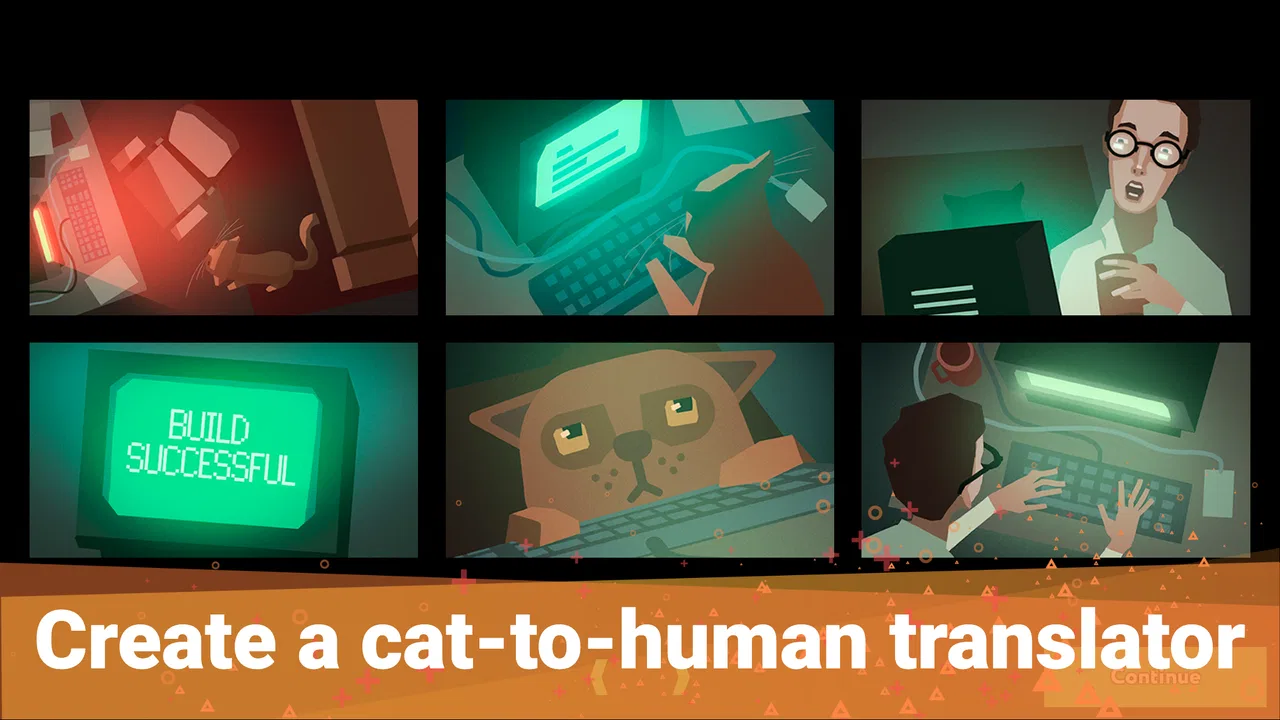
while True: learn() is a programming-themed puzzle and simulation game in which you play as a machine-learning enthusiast trying to build systems that understand what your cat is saying. You solve increasingly complex data-processing problems by connecting visual programming blocks, managing projects, earning money, and improving your technical skills. Despite its educational theme, it is designed primarily as a relaxed strategy puzzle experience rather than a complete programming course.
02Do I need programming or machine-learning experience to play?
No previous programming knowledge is required. The game introduces its concepts gradually through tutorials, guided tasks, and increasingly advanced challenges. You will work with ideas such as data collection, classification, neural networks, and automation, but these are presented through accessible visual mechanics. Players familiar with coding may recognize some concepts more quickly, while beginners can learn the systems step by step without needing to write real code.
03How does the gameplay work in while True: learn()?
Most gameplay revolves around creating data-processing pipelines by placing and connecting functional blocks. You receive tasks, analyze their requirements, choose suitable tools, and optimize your setup to process information efficiently. Successful projects generate income and unlock new equipment, locations, and challenges. The game combines experimentation with resource management, so finding a solution is only part of the experience; improving its cost, speed, and reliability is often equally important.
04Is while True: learn() suitable for children or educational use?
The game can be suitable for older children, teenagers, and adults who enjoy logic puzzles or technology-related subjects, although the recommended age may vary by platform. It offers a friendly introduction to broad machine-learning ideas, but it should not be treated as a substitute for formal programming instruction. Some terminology and optimization challenges may require patience, especially for younger players unfamiliar with technical concepts or complex interfaces.
05Is while True: learn() worth downloading?
while True: learn() is a good choice if you enjoy puzzle games that reward planning, experimentation, and gradual optimization. Its humorous cat-centered story makes the technical subject approachable, while the visual workflow system provides plenty of room for problem-solving. However, players looking for fast action or a traditional coding tutorial may find the pace slower than expected. Check the specific Android or iOS store listing for pricing, supported devices, and available features before downloading.
Pros
- Engaging puzzle design introduces machine-learning concepts in a playful way.
- Clear visual programming makes complex ideas approachable for beginners.
- Large campaign offers plenty of content and gradual difficulty progression.
- Humorous writing and quirky characters keep the learning experience entertaining.
- Works well as a relaxed educational game for short or extended sessions.
Cons
- Some puzzles require trial and error rather than explaining the underlying solution.
- The interface can feel cramped on smaller smartphone screens.
- Advanced levels may be frustrating without prior programming experience.
- The educational value is limited if players focus only on completing objectives.
- Performance and loading times may vary on older mobile devices.

while True: learn()
Gallery